Video Call App Development: Features, Risks, and Roadmap
What product leaders should decide before adding reliable one-to-one or group video calls to a mobile and web platform.
10 min read
Video call app development is not just the addition of a camera screen. A reliable product must connect the call to a real business workflow, manage identity and permissions, handle weak networks and failed sessions, protect sensitive information, and give operations teams enough visibility to support users.
Before selecting a software partner, define the type of interaction you are enabling and what must happen before, during, and after each session. A tutoring platform, healthcare consultation, customer support service, remote sales tool, and workforce application may all use video, but they require different roles, controls, records, and service expectations.
Begin with the service, not the video technology
Describe the outcome users are trying to achieve. “Host a call” is too narrow. A patient may need to find a suitable professional, book a time, complete intake, join securely, receive follow-up instructions, and manage payment. A learner may need to enter a scheduled class, view materials, interact with an instructor, and continue through a course. A support customer may need to move from chat to video without repeating context.
Map the full service journey:
How do participants find or receive the session?
Who can schedule, reschedule, or cancel it?
How are participants identified and authorized?
What information is available before the call?
Which controls and collaboration tools are needed during it?
What record, action, or follow-up is created afterward?
How does the business respond when the session fails?
This map keeps the project focused on a usable service rather than a disconnected real-time feature.
The four layers of a reliable video product
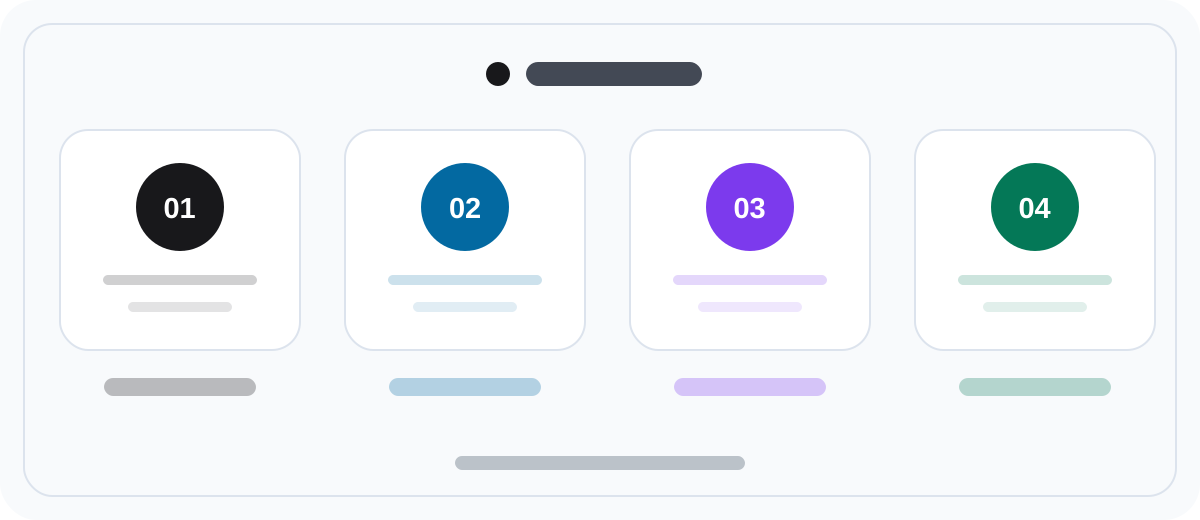
Product leaders can evaluate the scope through four connected layers.
User flow
This includes discovery, scheduling, reminders, waiting rooms, joining, in-call actions, ending, payment when relevant, and follow-up. The flow should account for each participant role rather than assuming everyone sees the same experience.
Media layer
The media layer carries audio and video and may also support screen sharing, recording, captions, or group calls. The important business decisions are expected session size, geography, device coverage, acceptable quality under weak connections, and which capabilities truly matter at launch.
Trust and safety
Identity, access control, consent, privacy, moderation, retention, and auditability depend on the use case and market. These requirements should be identified early because they affect product flows, provider choices, data handling, and operating procedures.
Operations
Support staff need to understand what happened without intruding on private content. Useful operational signals may include join failures, device permissions, network quality, session state, provider errors, participant actions, and the outcome of retry or escalation steps.
Anemo builds communication platforms as connected mobile, web, database, and back-office products. That end-to-end view matters because the call itself is only one moment in the service.
Define roles and permissions explicitly
Common roles include customer, host, instructor, specialist, moderator, support agent, organization administrator, and platform administrator. Each role should have a clear set of allowed actions.
Questions to resolve include:
Who can create an immediate or scheduled session?
Can a host admit, remove, mute, or block participants?
Can a participant invite another person?
Who can see session history?
Who may start a recording, and how is consent captured?
Can support staff inspect technical diagnostics?
Which organization data is isolated from other organizations?
Which administrative actions require an audit trail?
Writing a permission matrix early prevents contradictory assumptions across mobile, web, backend, and operations work.
Select the first-release features by use case
Most first releases need a dependable foundation:
account or guest access appropriate to the service;
session creation or scheduling;
invitations, links, or reminders;
camera and microphone setup;
one-to-one or defined group calling;
mute, camera, speaker, and device controls;
clear connection, reconnection, and end states;
basic call-quality diagnostics;
user-facing error recovery; and
operational visibility for support.
Other features should earn their place through the workflow.
Scheduling and availability
Appointment products may require provider calendars, time zones, service duration, buffers, cancellation rules, reminders, and external calendar synchronization. These rules can be more complex than the call itself.
Chat and file exchange
Chat can carry context before or during a call. Define whether messages persist, who can access them, and whether files require scanning, expiry, or special permissions.
Screen sharing and collaboration
Screen sharing may be essential for sales demonstrations, technical support, education, or team collaboration. Whiteboards, annotations, polls, and shared documents should be tied to an actual task rather than added because competitors list them.
Recording, transcription, and summaries
These features create significant consent, storage, access, retention, accuracy, and cost decisions. Determine why the record is needed, who can use it, how long it remains, and how deletion works before treating recording as a checkbox.
Payments
If a session is purchased, decide when payment is authorized or captured, how cancellations and no-shows are handled, whether providers are paid through the platform, and how refunds connect to session status.
Buy the media infrastructure or build more of it?
Many products use a managed real-time communication provider for core audio and video transport. This can reduce time to market and provide capabilities across browsers and mobile devices. It also introduces usage pricing, provider constraints, regional availability, and dependency risk.
A more customized media stack can provide greater control, but it requires specialized engineering, infrastructure, monitoring, device testing, and ongoing operations. That investment is usually justified only when media behavior is a core competitive capability or provider limitations materially affect the business.
The decision is not simply “third party or custom.” A common approach is to use managed media infrastructure while building the differentiated scheduling, roles, payments, records, back office, analytics, and customer experience around it.
Ask a development partner to compare options using your expected session volume, duration, countries, group size, recording needs, and quality targets. A provider recommendation without those inputs is premature.
Plan for difficult networks and devices
Calls occur on real phones, browsers, Wi-Fi networks, and mobile connections. The product needs intentional behavior when conditions are poor.
Define what the user should see when:
camera or microphone permission is denied;
another application is using a device;
bandwidth drops during a session;
audio works but video cannot be sustained;
the app moves to the background;
a browser or operating system is unsupported;
the host is late or disconnects;
a participant joins from a second device; or
the provider reports a service problem.
Recovery may include retrying, lowering video quality, switching to audio, rejoining, contacting support, or rescheduling. The correct behavior depends on the service promise. A casual community call and a paid professional consultation should not have identical escalation rules.
Treat privacy and security as product requirements
The applicable obligations depend on the countries, industry, participants, and data involved. Product teams should seek qualified legal and security advice for their specific situation.
From a product-planning perspective, identify:
what personal or sensitive data is collected;
where participants and organizations are located;
how identity and authorization are established;
whether sessions are recorded or transcribed;
where metadata and content are stored;
who can access each type of information;
how long information is retained;
how deletion and data requests are handled; and
which events must be logged.
These answers influence user consent, administrative controls, vendor agreements, data architecture, support access, and incident response. Addressing them after interface design can force expensive changes.
Build the operational product too
A support agent should not need a developer to investigate every failed call. A practical operations dashboard may show session identifiers, participant roles, timestamps, join attempts, connection states, device and permission indicators, quality metrics, and provider error codes. Sensitive content should remain protected according to policy.
Operations teams may also need to:
resend an invitation;
cancel or reschedule a session;
issue a refund or flag it for finance;
review moderation reports;
disable an account;
export a permitted audit record; or
escalate a technical incident.
The exact controls depend on the business, but planning them before launch reduces manual work and response time.
Use a staged delivery roadmap
1. Workflow discovery
Define participants, service journeys, roles, rules, failure handling, privacy constraints, business measures, and expected scale. Identify which assumptions pose the most risk.
2. Technical proof
Validate the selected media approach on target devices and realistic networks. Test critical capabilities such as group size, screen sharing, background behavior, or recording before building the full surrounding product.
3. End-to-end pilot
Deliver one coherent journey to a controlled user group. Include scheduling or session creation, the call, follow-up, analytics, support diagnostics, and the minimum back-office controls.
4. Reliability and operational hardening
Use pilot evidence to improve reconnection, error messages, monitoring, support playbooks, performance, accessibility, and device coverage.
5. Measured expansion
Add regions, organizations, group sizes, collaboration features, automation, or AI capabilities only after the foundation is observable and supportable.
Useful measures may include join success, time to connect, call completion, reconnection rate, support contacts per session, cancellation or no-show rate, and the business outcome after the call. Choose measures that reflect the service, not only media quality.
What drives cost and timeline?
The main variables include:
one-to-one versus group sessions;
supported mobile platforms, browsers, and devices;
scheduling, marketplace, payment, or subscription rules;
recording, transcription, captions, or AI processing;
host, participant, moderator, and organization roles;
regulatory, privacy, residency, and audit requirements;
integrations with calendars, customer systems, learning systems, or internal tools;
expected countries, concurrency, session duration, and media quality;
custom back-office and analytics requirements; and
reliability, support, and availability expectations.
Give potential partners realistic usage ranges. Ten internal calls per day and thousands of simultaneous public sessions require very different plans.
Questions to ask a video app development partner
How will you validate call quality on our users’ devices and networks?
Which media capabilities would you buy, and which would you build?
How do provider costs change with our usage model?
What happens when users cannot join or lose connection?
Which diagnostics can our support team access?
How will roles, organization boundaries, and permissions be tested?
How will consent, retention, and deletion requirements affect the product?
What is included in monitoring and post-launch support?
Which assumptions should be proven before full development?
Strong answers connect product choices to user outcomes, operational effort, risk, and total ownership cost.
Frequently asked questions
How long does it take to build a video call app?
It depends more on the surrounding workflow and reliability expectations than on the call screen. A focused one-to-one pilot using managed media can be smaller than a multi-role platform with scheduling, payments, recording, compliance controls, and an operations dashboard. A discovery and technical proof phase should establish a defensible roadmap.
Is a managed video provider enough?
It can supply important real-time media capabilities, but it does not define your service. You still need product flows, identity, permissions, business rules, backend coordination, operations, analytics, and support behavior.
Can a video feature be added to an e-commerce platform?
Yes. Live consultation can support products that benefit from expert guidance, demonstrations, or personalized service. Payments, appointments, product context, and follow-up should form one journey. The e-commerce app development guide covers the wider commerce platform decisions.
Do we need a mobile app and web app?
That depends on participant roles and context. Customers may join from mobile while staff use a web workspace. Some services need mobile apps for frequent use and device integration; others can begin with a responsive browser experience. Decide from the workflow and target devices.
Anemo develops mobile apps and supporting web and backend platforms, including communication and education products. Discuss your video product with Anemo to define the service flow, technical approach, and first release before development begins.
